Private-Client Service Breakdown
Private-Client
Learn about Adaptable's Private-Client service scope and how our team supports custom Web projects. Understand capabilities and access the resources you need to plan and prepare effectively.
- UI / UX Design
- Webflow Development
- SEO + AEO
- Animations & interactions
- Content management system (CMS)
- CMS migration & data cleanup
- SEO preservation
- Analytics & Tracking
- Custom coding
- Integrations
- Accessibility & compliance
- Middleware & custom backend
- Copywriting
- UX Strategy
- Lottie animations
- Original art
- Maintenance
- Technical Consulting
- E-commerce
← scroll to explore topics
UI & UX design
We specialize in delivering exceptional UI (User Interface) and UX (User Experience) design solutions tailored to meet any creative goal, whether conventional, traditional, bespoke, interactive, branded experiences, and beyond. Our design team is adept at crafting intuitive, visually appealing, and functional interfaces that elevate user engagement and drive action.
🦉 Comprehensive design capabilities
- Versatility - We excel in designing for a wide spectrum of creative objectives, from traditional corporate websites to bespoke, avant-garde digital experiences.
- Innovation - Our designers are at the forefront of industry trends, integrating cutting-edge technologies and design principles to deliver forward-thinking solutions.
- Customization - Every project is approached with a fresh perspective, ensuring that each design is unique and tailored to the client’s brand identity and objectives.
- AI-assisted design - Our design team is enabled by proprietary AI agents built from real-world project data, design patterns, client feedback, and website production workflows to support the UI/UX process. These tools help accelerate research, ideation, layout exploration, and creative direction, reducing unnecessary production time and cost while final design decisions remain guided by human judgment, brand alignment, and project goals.
🧠 Stakeholder support
Our design process can prioritize speed by diving straight into the design process or adopt a more client-centric strategy, offering a comprehensive and holistic approach.
- Market research and analysis - We perform competitive analysis and user research to gather insights that inform design decisions.
- Discovery - We'll learn everything about your success metric. You'll work with your designer to develop a detailed project plan outlining the objectives and creative and strategic UI/UX direction.
- Wireframing - Create wireframes and prototypes to visualize the design and gather early feedback. Your designer will iterate based on your input to refine the design.
- Content strategy - Collaborate on content planning to ensure messaging aligns with design and business goals. Provide guidance on content creation and organization.
🖌️ Delivered in Figma
Figma serves as our primary tool for designing, prototyping, and collaborating on projects, offering unparalleled capabilities that drive creativity and efficiency.
Designers will organize and structure your Figma designs in the most efficient way required for review and handoff to your development team.
Designers will organize and structure your Figma designs in the most efficient way required for review and handoff to your development team.
Your Figma deliverables are all-inclusive to what matters most:
- Brand system
- Color palette
- Typography system
- UI Component system
- Core website pages
- Detailed Sitemap
- Low-Fidelity and Hiigh-Fidelity wireframes
- Responsive screens (desktop, tablet, mobile)
- Core website pages
- Core website components (navigation, footer, etc)
- Button, link, screen states
- Iconography library
- Interactions and prototyping
Webflow development
Our development starts with a native-first approach. This means we will first attempt to satisfy all requirements using Webflow's native Designer tool. If it cannot be done or the native method is inefficient, we will use custom CSS, HTML, and JS. You can expect every delivery to be fully QA'd.
🧬 The Adaptable standard
Adaptable's developers are vetted experts that are trained to our own in-house standards and practices. Our development standard is designed to be performant and easily editable by anyone. New sites and migrated sites will always start with our standard.
Lightweight DOM structure - We layer the DOM in the most efficient way possible—no unnecessary frameworks that cause bloat and dependencies. Get an easy-to-use codebase that's efficient and scalable.
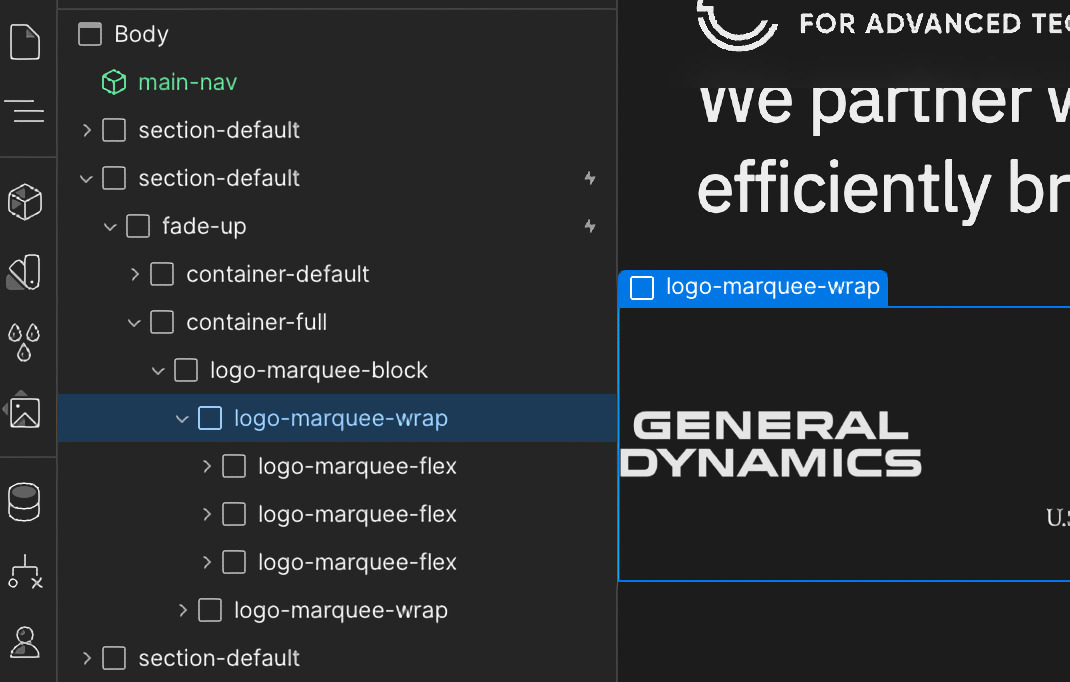
Component-based system - Elements are built to be modular for easy global usage. We use Webflow's symbols, variables, and dynamic element features to streamline your website's build.
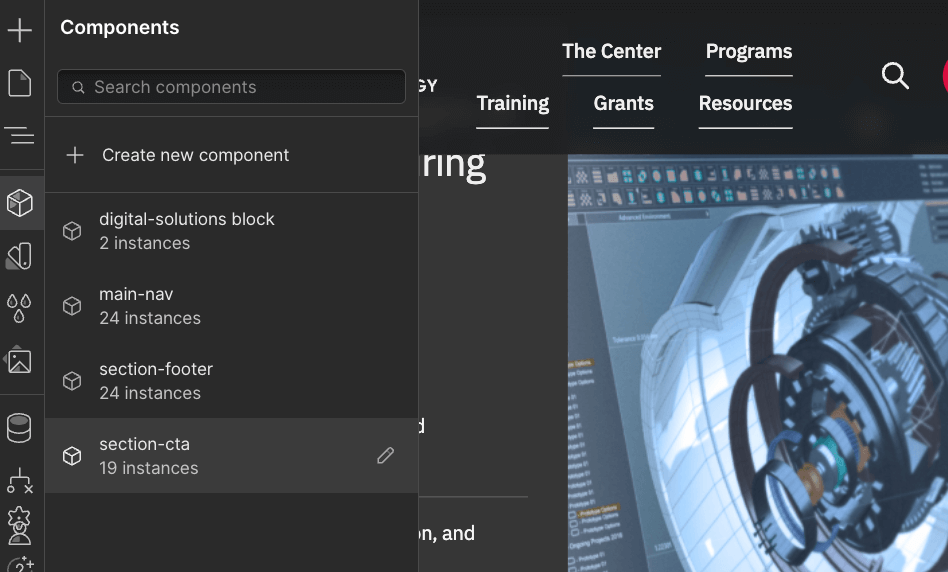
Conventional naming - Class names are a hybrid of layman and technical wording so everyone is on the same page. Universal classes and strategic subclasses make it easy for anyone to edit and expand.
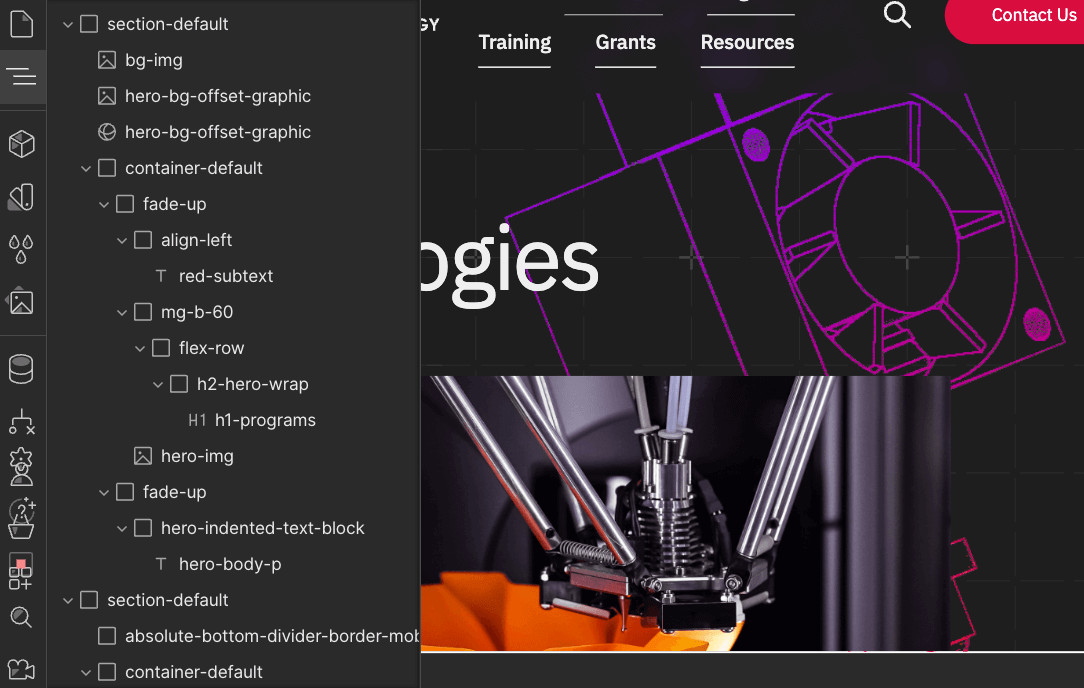
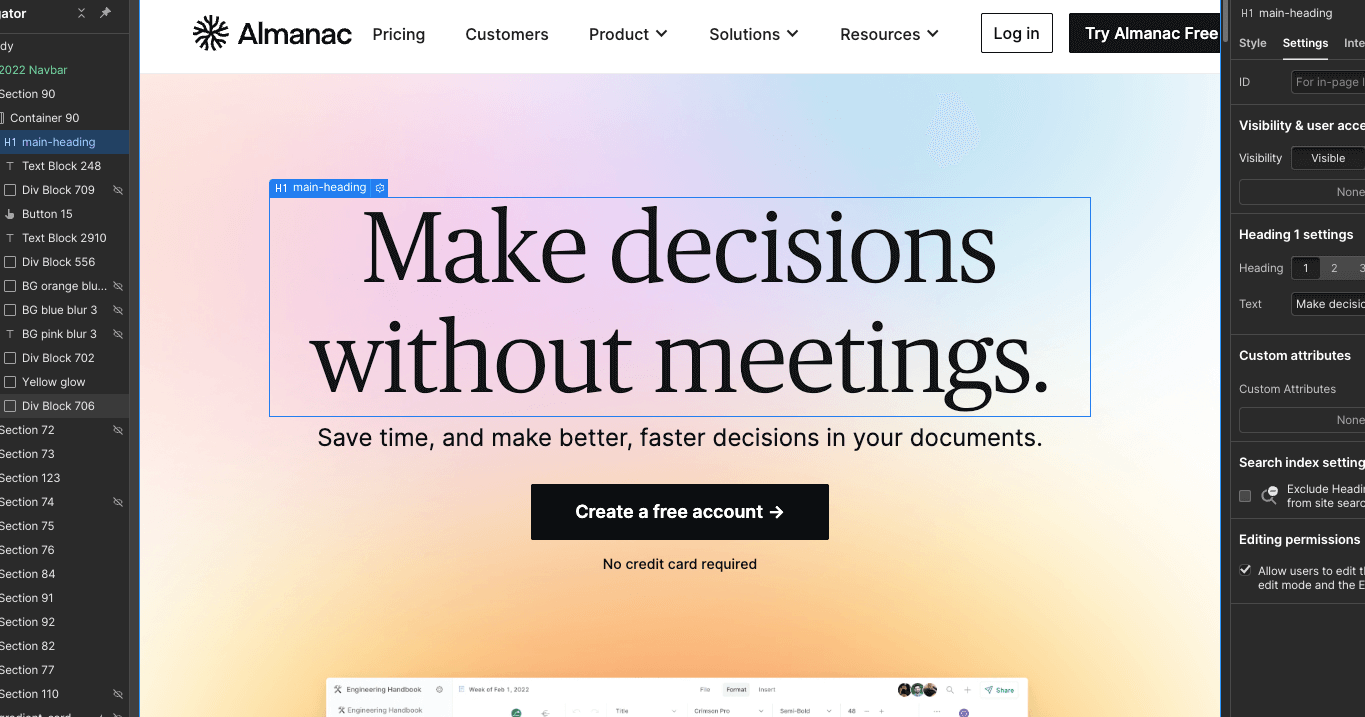
SEO best practices - We keep SEO in mind by implementing key elements like heading tags (h1, h2, h3, etc) and media attributes to improve your website's search engine rankings. To boost your speed we'll optimize images and videos accordingly.
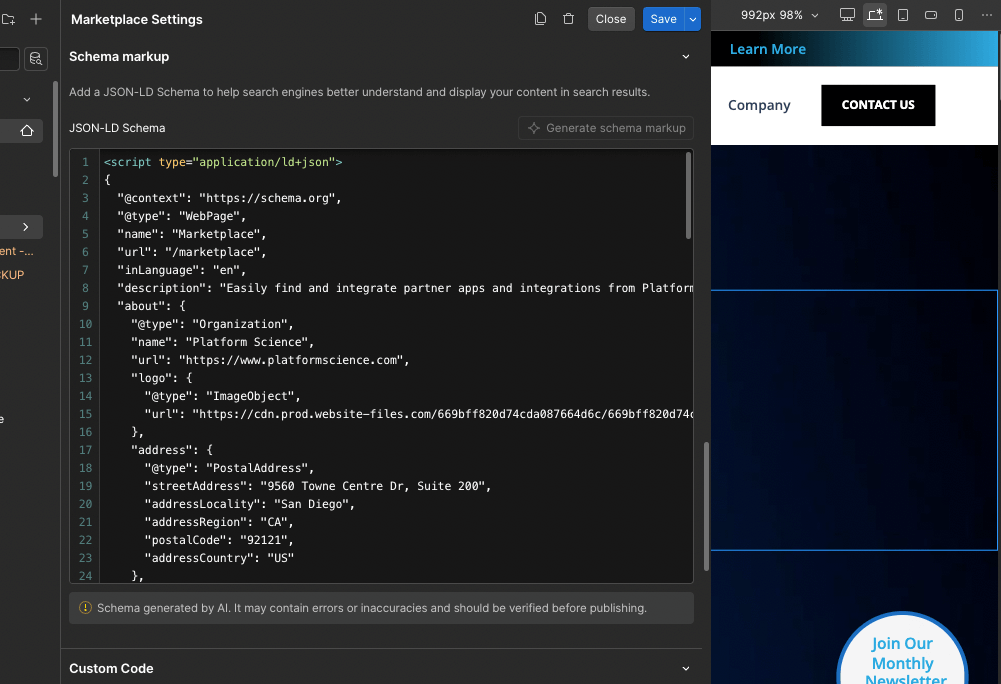
AEO-ready - We structure your content so AI search and answer engines can easily interpret it. This includes clear semantic hierarchy, concise Q&A-style blocks when needed, enriched metadata, and properly structured text and media to help LLMs extract and surface accurate answers.
🪴 Existing or preferred codebase
- Existing Webflow site - If you like your codebase we will stay within parameters and match it. We'll learn the build and ensure it stays scalable. Initial builds may experience slower turnaround until we are adjusted. If you don't like your codebase we can refactor it or start from scratch using our in-house standard.
- Preferred "framework" - Using "Client-first" or "Wizardry" development styles on your website? We can examine the build and expand it by building new pages, features, or functions.
💎 Quality assurance
Full QA is provided before every delivery. Our Webflow development team and QA specialists check across multiple breakpoints and devices to ensure stability for all users. Builds are tested in the Designer tool and live in the browser to simulate real-world environments.
On-page search engine & answer engine optimization (SEO + AEO)
Our developers and technical specialists provide on-page SEO and AEO services that improve how your site is crawled, understood, and surfaced by both search engines and AI models. You get lightweight, scalable development that follows technical best practices for ranking, comprehension, and LLM-driven answer visibility.
🧠 Technical services
- Semantic HTML markup (header, footer, h1, h2, h3, etc)
- DOM / codebase refactor
- Compress images and videos
- HTML & CSS cleanup
- Interactions cleanup
- Interactions refactor or reproduction
- Content hierarchy structuring for AEO (clear sections, headings, summaries)
- Structured “answer blocks” (FAQ markup, direct-answer formatting, scannable content)
- Schema.org implementation for key templates (article, FAQ, organization, product, etc.)
- Improved internal linking structure for LLM and crawler comprehension
- Clarifying ambiguous layouts so AI models can interpret section intent
🍳 Admin services
- Adding your meta content to page settings (titles, descriptions, OG media, etc.)
- Add, edit, delete URL 301 redirects
- Edit/Manage Webflow SEO backend settings (robots, sitemap, etc)
- Minify HTML, CSS, & JS
- Ensure clean URL structures and canonical tags for consistent AI interpretation
🤖 Understanding AEO (Answer Engine Optimization)
AEO in website development is the on-page technical work that makes a website easier for AI search tools, answer engines, and search engines to understand, extract, and cite. It includes things like clean HTML structure, clear headings, schema markup, crawlability, internal linking, page speed, and content formatted in a way that directly answers user questions.
What AEO is:
- Structuring content so it’s easy for AI models to interpret
- Using semantic HTML and schema to label meaning
- Creating clear, scannable sections and FAQs
- Improving internal linking so relationships are obvious
- Ensuring your site is lightweight, crawlable, and unambiguous
Technical vs. Creative AEO:
- Technical AEO (what Adaptable handles): structure, markup, schema, hierarchy, clarity
- Creative AEO (not included): writing answers, FAQs, summaries, and authoritative content
Animations & interactions
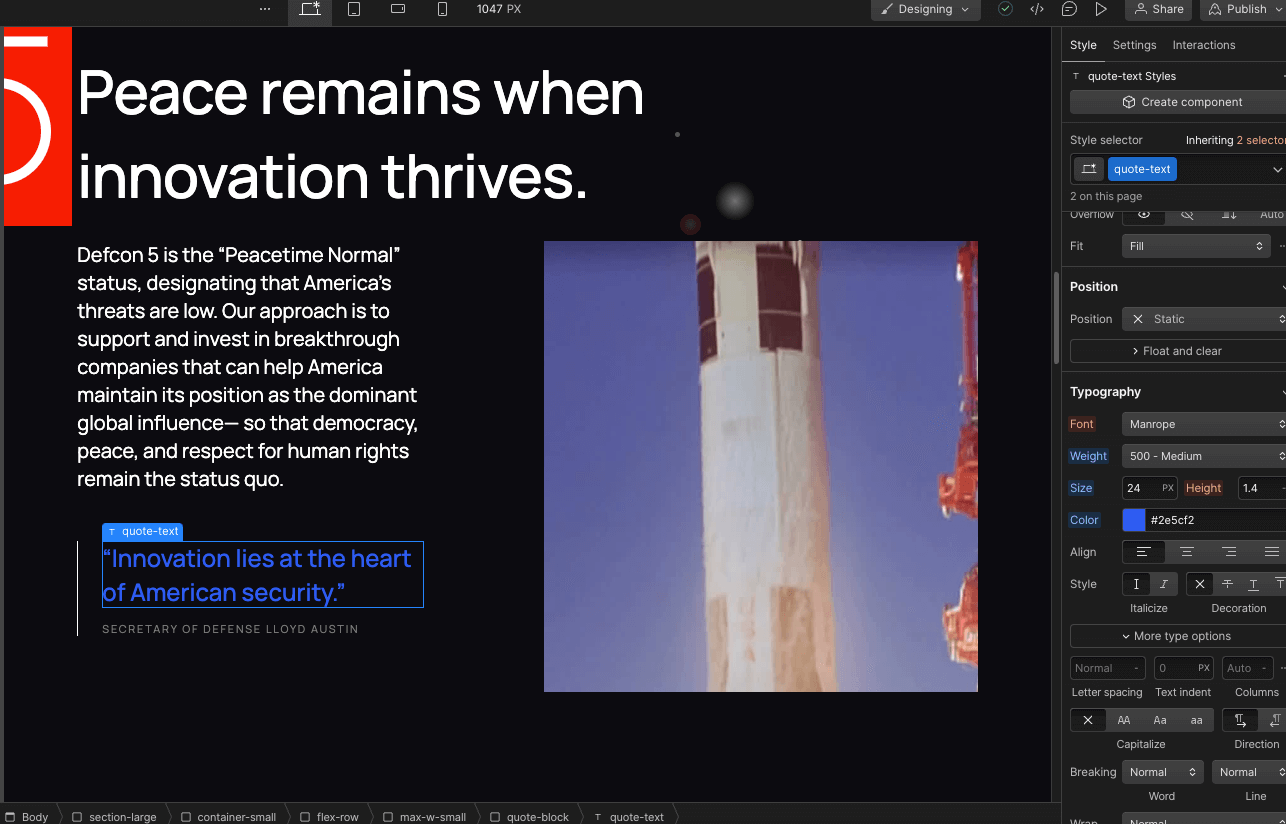
We can build any interaction in Webflow. We use Webflow's IX2 and GSAP engine for all cases unless a limitation is present or the long-term management is inefficient for our clients. Overcoming limitations and building advanced features are done using custom code, like JavaScript.
✨ Webflow native interactions
Below are common features built using Webflow's native animation engine inside the Designer tool.
- Button hovers
- Element fades (headings, blocks, media)
- Real-time style changes
- Scroll triggers
- Tab and slider animations
- Parallax movement
- Horizontal scrolls
- Basic popups
- Narrative / sequence layouts
- Action triggers
- Asset control (Lottie, etc)
⚙️ Custom-coded interactions
Below are common features that may require custom JavaScript or advanced front-end development outside of Webflow’s native animation engine.
- Advanced scroll-based animations
- Scroll-jacked sections
- Custom cursor effects
- Interactive canvas animations
- SVG path animations
- Dynamic counters and number animations
- Custom sliders or carousels
- Advanced filtering and sorting
- Conditional popups or modals
- Multi-step form interactions
- Page transition effects
- Custom tabs or accordions
- Mouse-follow animations
- Drag-and-drop interactions
- Animation sequencing across multiple sections
- API-driven dynamic content animations
- Custom video playback controls
- Library integration
📚 Custom coding examples in Webflow
Gain a clear understanding of which features require JavaScript. Explore common examples below to see the type of JavaScript needed for each feature.
Filter, Sort, Search - For multi-filter options, search, checkbox, dropdown, and more. Normally seen on CMS collection pages like blogs, services, and products.
Advanced Interactions - For animations and interactions that go beyond Webflow's native IX2 engine. Normally associated with custom-tailored user interfaces and functionalities. Common examples include logic, dependency, or conditional based triggers and movement.
Cookies and Cache - For experiences that require cookies and/or cache to segment content and create conditional elements. Normally used for marketing triggers, and frontend user classification/attribution.
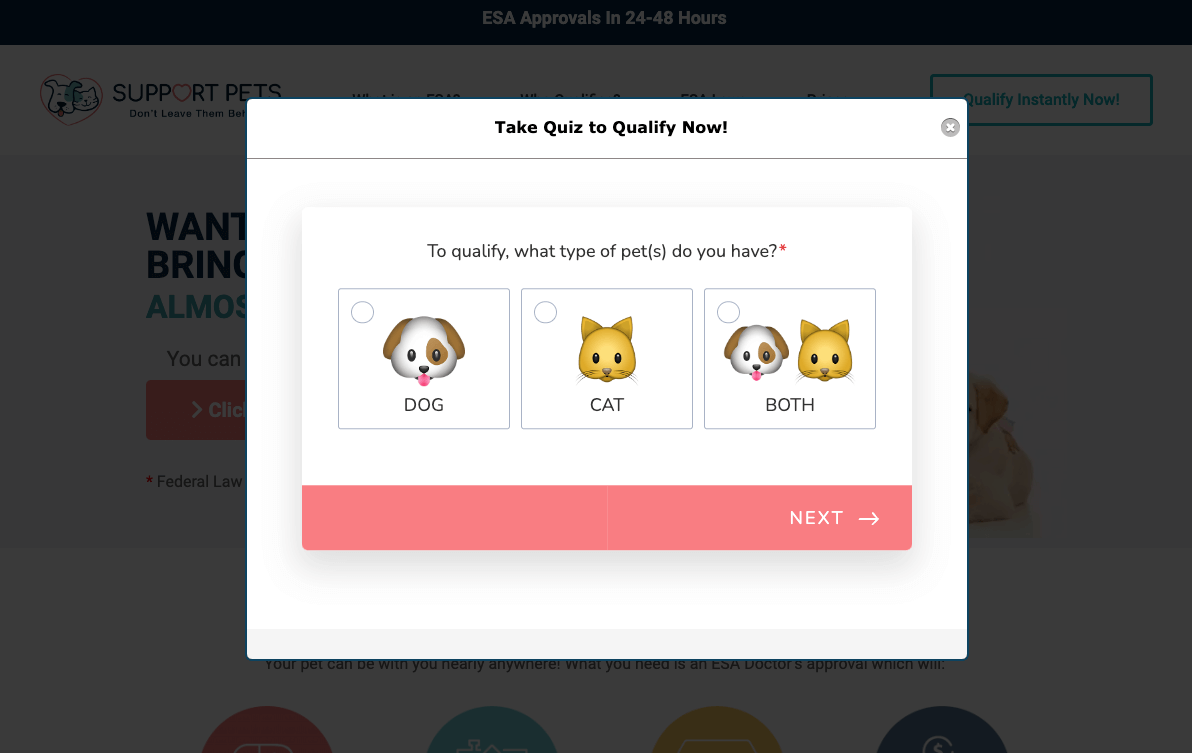
Form Validation - For custom user experiences applied to form handling for validation, error, and success.
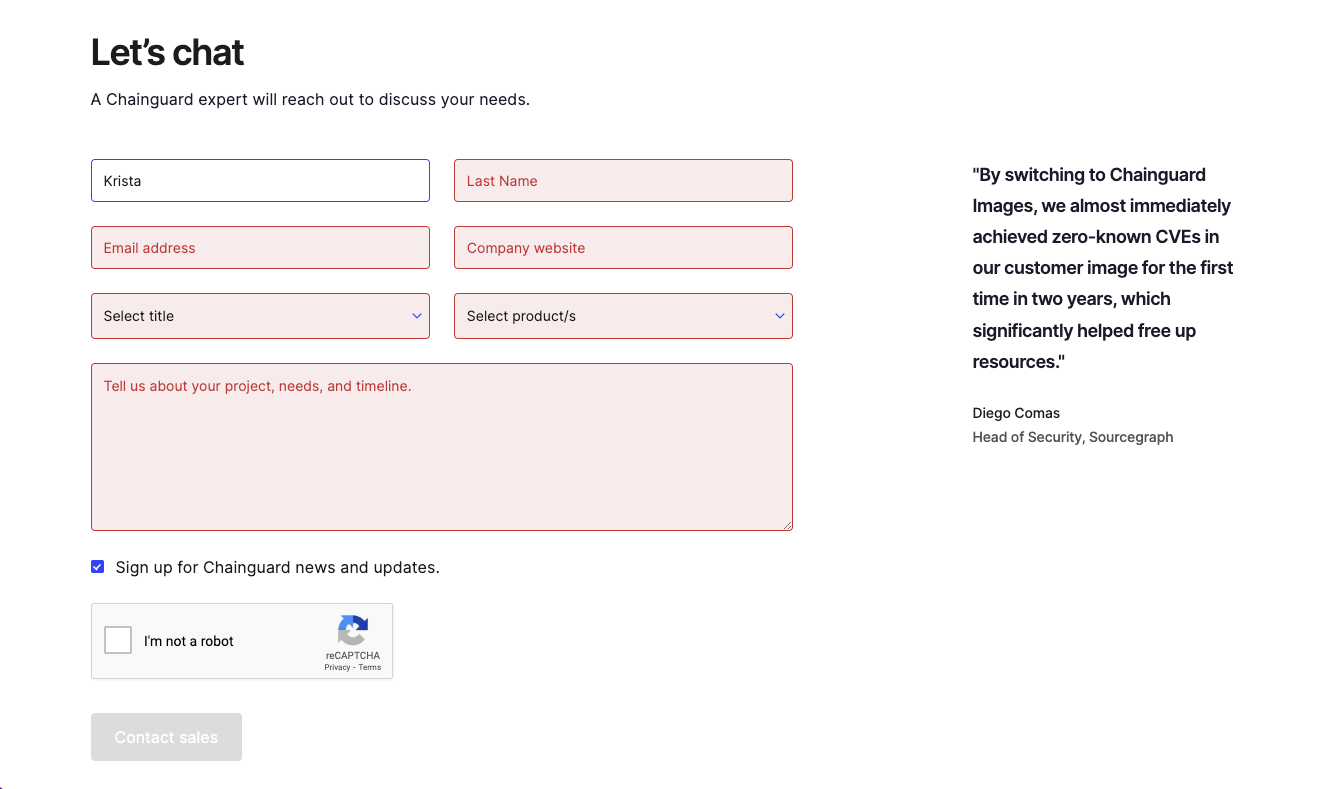
Calculators - For on-page tools that allow users to calculate services and prices based on user input. Normally used for pricing calculators, usage estimation, order forms, and more.
Conditional Forms/Surveys - For forms that require multi-step logic and output based on user input. Normally used for order forms, Typeform clones, contact inquires, and feedback/data collection.
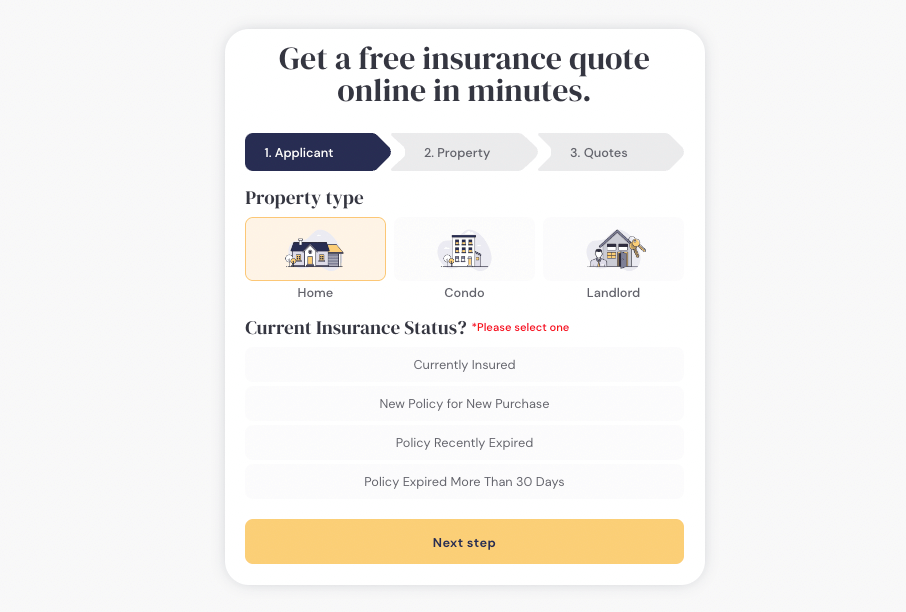
3rd Party / API integrations - For API-driven integrations that require a custom UX for GET/POST actions with 3rd party tools. Normally used for implementing bespoke tools in sales, HR, and marketing.
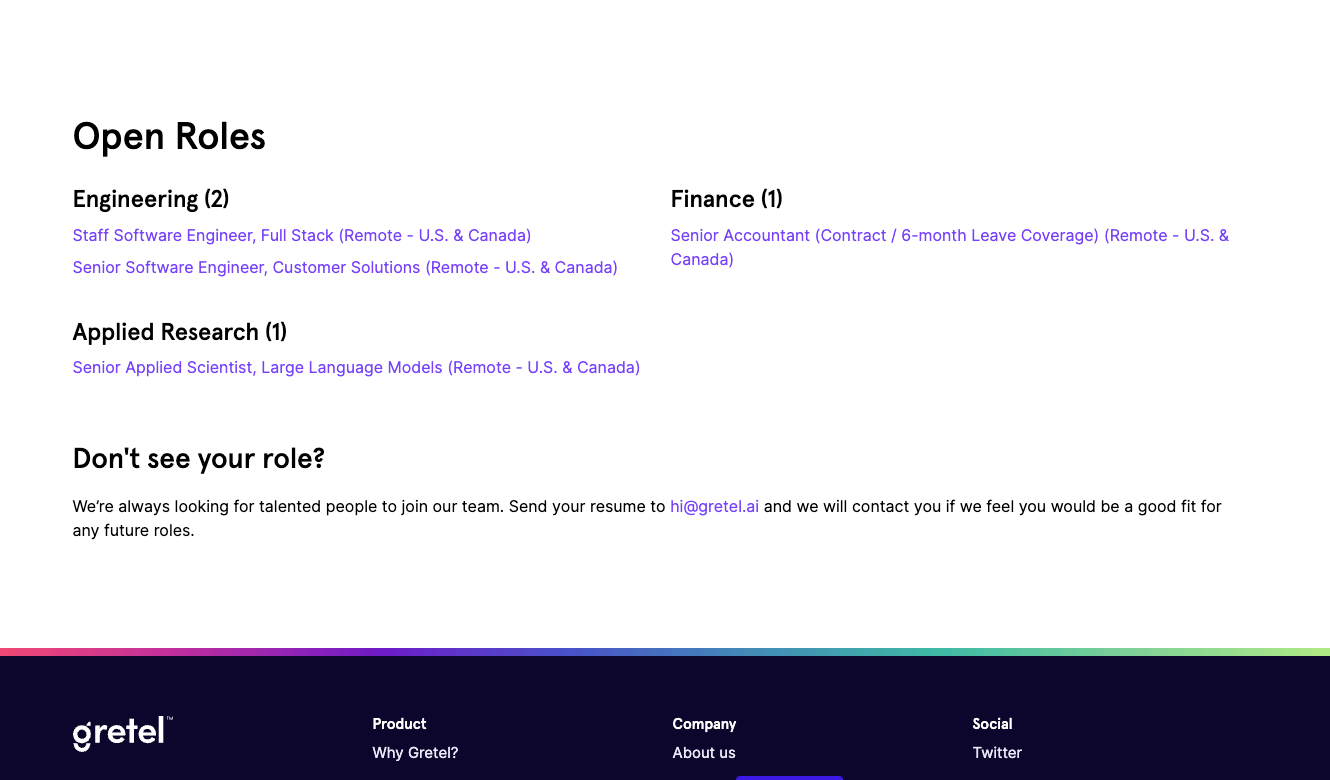
Webflow Pages "API" - For overcoming Webflow limitations like multiple nested collections. Normally used for creating pseudo APIs within Webflow's pages to access and connect more data in more places.
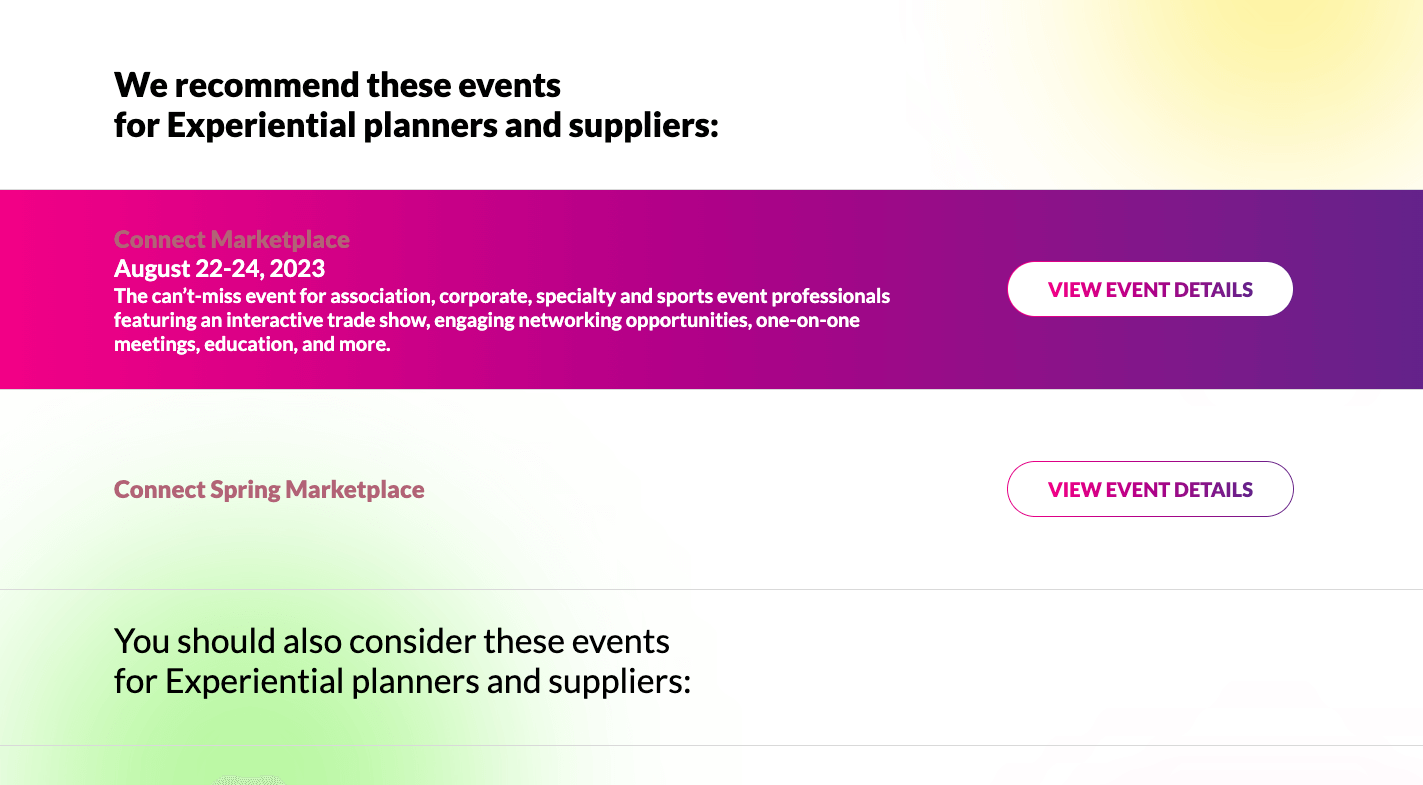
⚙️ Popular utility libraries
Libraries are used to expand functionality and provide support to custom JavaScript development.
- Swiper JS - The Most Modern Mobile Touch Slider.
- JS Cookie - A simple, lightweight JavaScript API for handling cookies.
- CookieConsent - A lightweight & gdpr compliant cookie consent plugin.
- Trix - Trix is a WYSIWYG editor for writing messages, comments, articles, and lists.
- Datepicker - Calendar dropdown selection for forms.
- EmailSpellChecker - A lightweight JS module that suggests the right domain when your users misspell it in an email address.
- Draggable - A lightweight, responsive, modern drag & drop library.
- VideoJS - The world's most popular open source HTML5 player framework.
- More - We have a database of JS libraries that fit various objectives and requirements.
Content management system (CMS)
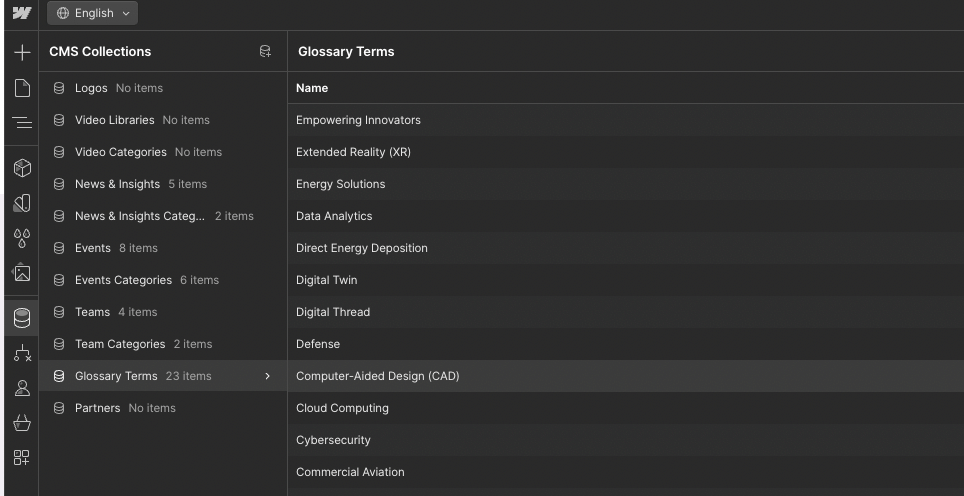
We architect simple and complex content management systems in Webflow. We handle the entire backend setup as well as the frontend logic and connections.
🛠️ Common services
- Collections management (new, edit, delete)
- CMS migration and custom mapping (CSV, manual import)
- CMS design and architecture (strategy)
- Reference, multi-reference, and nested architectures
- Custom fields add, edit, delete
- UI and data connection
- Conditional logic and dynamic elements
- Administrative (new, edit, delete item)
- Documentation and usage manuals
- More
CMS migration & data cleanup
When migrating to Webflow, Adaptable can support the CMS migration process from a legacy CMS, existing Webflow project, or another website platform. This includes reviewing the current content structure, exporting available data, cleaning and organizing the data, and rebuilding the CMS structure inside Webflow.
CMS migration may apply to one-for-one migrations, full website relaunches, redesigns, or fresh Webflow builds where existing content needs to be preserved, restructured, or improved.
CMS migration may apply to one-for-one migrations, full website relaunches, redesigns, or fresh Webflow builds where existing content needs to be preserved, restructured, or improved.
🗂️ CMS structure planning
Before migration begins, we review the existing content model and determine how it should translate into Webflow CMS collections.
The goal is to create a clean CMS structure that supports the new website experience while making content easier to manage after launch.
This may include reviewing:
The goal is to create a clean CMS structure that supports the new website experience while making content easier to manage after launch.
This may include reviewing:
- Blog posts
- Case studies
- Resources
- Team members
- Locations
- Categories
- Authors
- Tags
- Landing pages
- Dynamic templates
- Custom content types
📤 Legacy CMS export
When access is provided, Adaptable can export available data from the existing CMS or website platform. This may include structured content, CSV exports, XML exports, media files, metadata, slugs, categories, authors, publish dates, and other available fields.
Depending on the platform, migration may involve direct exports, manual cleanup, structured imports, or a combination of automated and manual work.
Depending on the platform, migration may involve direct exports, manual cleanup, structured imports, or a combination of automated and manual work.
🧹 Data cleanup
Most CMS migrations require some level of data cleanup before content can be imported into Webflow. Legacy websites often include inconsistent formatting, outdated fields, duplicate entries, broken links, missing images, irregular categories, unused tags, or content that no longer matches the new website structure.
Adaptable helps clean and organize the data so it can be mapped properly into Webflow CMS.
Common cleanup items may include:
Adaptable helps clean and organize the data so it can be mapped properly into Webflow CMS.
Common cleanup items may include:
- Removing duplicate or unused entries
- Cleaning inconsistent field formatting
- Organizing categories, tags, and authors
- Updating or preserving URLs and slugs
- Preparing image and media fields
- Cleaning rich text content
- Removing unsupported code or legacy formatting
- Mapping old fields to new Webflow CMS fields
- Identifying missing or incomplete content
🔁 Webflow CMS import
Once the content is cleaned and mapped, Adaptable imports the data into Webflow CMS and connects it to the approved CMS templates.
This may include importing collection items, mapping fields, validating relationships, connecting reference fields, reviewing dynamic templates, and checking that CMS-driven pages render properly across the site.
This may include importing collection items, mapping fields, validating relationships, connecting reference fields, reviewing dynamic templates, and checking that CMS-driven pages render properly across the site.
✅ Migration QA
After import, we review the migrated content for accuracy, formatting, broken media, missing fields, broken links, and template display issues.
CMS migration is not only about moving data from one platform to another. The goal is to make sure the migrated content works properly inside the new Webflow build and is ready for the client team to manage after launch.
CMS migration is not only about moving data from one platform to another. The goal is to make sure the migrated content works properly inside the new Webflow build and is ready for the client team to manage after launch.
SEO preservation
Adaptable can support SEO preservation as part of a Webflow migration, redesign, relaunch, or new website build. The goal is to help protect existing search visibility while moving the website into Webflow or launching a new version of the site.
SEO preservation focuses on keeping important URLs, metadata, content structure, page speed, redirects, indexing signals, and technical SEO elements intact wherever possible. This is especially important for websites with existing rankings, organic traffic, indexed content, backlinks, or high-value landing pages.
SEO preservation focuses on keeping important URLs, metadata, content structure, page speed, redirects, indexing signals, and technical SEO elements intact wherever possible. This is especially important for websites with existing rankings, organic traffic, indexed content, backlinks, or high-value landing pages.
🔗 URL and redirect planning
Before launch, Adaptable reviews the existing website URLs and compares them against the new sitemap or Webflow build.
When URLs are changing, we help create a redirect plan so old pages point to the correct new destinations. This helps protect existing rankings, backlinks, indexed URLs, and user paths from the previous website.
This may include reviewing:
When URLs are changing, we help create a redirect plan so old pages point to the correct new destinations. This helps protect existing rankings, backlinks, indexed URLs, and user paths from the previous website.
This may include reviewing:
- Existing indexed URLs
- Current sitemap pages
- New Webflow URLs
- Page-to-page redirect mapping
- Deleted or consolidated pages
- High-value organic landing pages
- 404 risks
- Redirect rules inside Webflow or DNS-level tools
🧾 Metadata migration
Adaptable can help preserve or update key metadata during a migration or relaunch.
The goal is to avoid launching with missing or incomplete metadata, especially on important static pages and CMS-driven pages.
This may include moving over, recreating, or optimizing:
The goal is to avoid launching with missing or incomplete metadata, especially on important static pages and CMS-driven pages.
This may include moving over, recreating, or optimizing:
- Meta titles
- Meta descriptions
- Open Graph titles
- Open Graph descriptions
- Social preview images
- Canonical tags
- Alt text where available
- Slugs
- Collection item SEO fields
🏗️ Heading and content structure
During the build, Adaptable helps maintain a clean heading structure and semantic page hierarchy. This supports both traditional search engines and AI-assisted search experiences.
This may include reviewing H1, H2, and H3 usage, preserving important on-page content, avoiding accidental content removal, and making sure dynamic CMS templates use the correct fields for titles, descriptions, and page content.
This may include reviewing H1, H2, and H3 usage, preserving important on-page content, avoiding accidental content removal, and making sure dynamic CMS templates use the correct fields for titles, descriptions, and page content.
⚡ Page speed and technical performance
SEO preservation also depends on technical performance. Adaptable helps prepare the Webflow build with performance in mind so the new site is clean, lightweight, and launch-ready.
🗂️ Sitemap and indexing setup
Adaptable helps prepare the new Webflow site for search engine discovery and indexing after launch.
This may include reviewing the Webflow sitemap, confirming important pages are indexable, checking noindex settings, validating robots.txt considerations, and helping connect or verify the site in Google Search Console when needed.
This may include reviewing the Webflow sitemap, confirming important pages are indexable, checking noindex settings, validating robots.txt considerations, and helping connect or verify the site in Google Search Console when needed.
🔍 Search Console and launch checks
For migrations and relaunches, Adaptable can help support technical checks before and after launch to confirm the site is being crawled and indexed properly.
This may include checking:
This may include checking:
- Google Search Console property access
- Sitemap submission
- Indexing status
- Page experience signals
- Coverage issues
- Crawled URLs after launch
🧪 Pre-launch SEO QA
Before launch, Adaptable reviews key SEO elements across the Webflow build to help catch issues before the site goes live.
This may include testing redirects, checking metadata, reviewing page titles, confirming CMS SEO fields, testing important URLs, checking responsive behavior, validating tracking scripts, and reviewing whether key pages are ready for launch.
This may include testing redirects, checking metadata, reviewing page titles, confirming CMS SEO fields, testing important URLs, checking responsive behavior, validating tracking scripts, and reviewing whether key pages are ready for launch.
📈 Post-launch monitoring
After launch, Adaptable can help review early SEO indicators and technical issues that may appear after the new site is live.
This may include monitoring for broken links, redirect issues, crawl errors, indexing problems, missing metadata, sitemap issues, or other technical items that could affect search visibility.
SEO preservation is designed to reduce migration risk and protect the work your website has already earned. While no migration can guarantee unchanged rankings, a structured SEO preservation process helps prevent avoidable technical issues and gives the new Webflow site a stronger launch foundation.
This may include monitoring for broken links, redirect issues, crawl errors, indexing problems, missing metadata, sitemap issues, or other technical items that could affect search visibility.
SEO preservation is designed to reduce migration risk and protect the work your website has already earned. While no migration can guarantee unchanged rankings, a structured SEO preservation process helps prevent avoidable technical issues and gives the new Webflow site a stronger launch foundation.
Analytics & tracking
Adaptable supports analytics and tracking, including implementing the tools your team uses to measure website traffic, conversions, campaign performance, lead attribution, and user behavior.
Tracking setup depends on the client’s existing stack, goals, and required platforms. In most cases, Adaptable helps install, configure, and QA the tracking scripts or event logic needed for the new Webflow site.
Tracking setup depends on the client’s existing stack, goals, and required platforms. In most cases, Adaptable helps install, configure, and QA the tracking scripts or event logic needed for the new Webflow site.
📊 Core analytics setup
Adaptable can help set up common analytics platforms on your Webflow website. This may include installing tracking scripts, connecting site-wide tags, configuring basic settings, and confirming that data is firing properly after implementation.
Common tools may include:
Common tools may include:
- Google Analytics
- Google Tag Manager
- Google Search Console
- Meta Pixel
- LinkedIn Insight Tag
- HubSpot tracking code
- Segment
- Hotjar
- Microsoft Clarity
- Other approved tracking tools
🏷️ Tag and script implementation
Tracking tools are typically implemented through Webflow’s custom code areas, Google Tag Manager, or approved third-party embed methods.
Depending on the setup, Adaptable may add global scripts, page-specific scripts, conversion tags, form tracking, click tracking, or event-based logic required for the website experience.
Depending on the setup, Adaptable may add global scripts, page-specific scripts, conversion tags, form tracking, click tracking, or event-based logic required for the website experience.
🎯 Conversion tracking
For marketing and lead-generation websites, Adaptable can help implement conversion tracking for key actions across the site.
This may include tracking:
This may include tracking:
- Form conversion tracking
- Demo requests
- Newsletter signups
- Button clicks
- Page visits
- A/B test content
- CTA optimization
- Content engagement testing
- Personalization testing
- Interaction attribution
- Link and click tracking
- Intent popups
- Behavioral triggers
🔍 Tracking migration
For website migrations or relaunches, Adaptable can help carry over existing tracking tools from the current website into the new Webflow build.
This may include reviewing the current tracking setup, identifying required scripts, recreating important events, preserving conversion tracking where possible, and making sure the new site continues collecting the data your team relies on.
This may include reviewing the current tracking setup, identifying required scripts, recreating important events, preserving conversion tracking where possible, and making sure the new site continues collecting the data your team relies on.
✅ Tracking QA
After implementation, Adaptable reviews the tracking setup to confirm that core tags and events are firing as expected.
This may include testing scripts, form submissions, page views, conversion events, browser console errors, GTM preview mode, analytics debug tools, and platform-specific verification methods.
Analytics and tracking setup is designed to give your team a clean measurement foundation after launch, but final reporting, attribution strategy, dashboard configuration, and media-platform optimization may depend on your internal marketing or analytics team.
This may include testing scripts, form submissions, page views, conversion events, browser console errors, GTM preview mode, analytics debug tools, and platform-specific verification methods.
Analytics and tracking setup is designed to give your team a clean measurement foundation after launch, but final reporting, attribution strategy, dashboard configuration, and media-platform optimization may depend on your internal marketing or analytics team.
Custom coding
Adaptable can support custom coding when a Webflow project requires functionality, styling, or behavior that goes beyond Webflow’s native Designer capabilities.
This may include custom HTML, CSS, JavaScript, jQuery, front-end logic, advanced interactions, third-party scripts, integration support, or other custom development needed to create the intended website experience.
This may include custom HTML, CSS, JavaScript, jQuery, front-end logic, advanced interactions, third-party scripts, integration support, or other custom development needed to create the intended website experience.
🧩 Extending Webflow
Webflow is used as the foundation whenever possible, but some project requirements may need custom code to achieve the right behavior, performance, or user experience.
Custom coding can help support unique layouts, advanced UI behavior, custom interactions, dynamic content logic, form enhancements, tracking requirements, third-party tools, and other front-end functionality.
Custom coding can help support unique layouts, advanced UI behavior, custom interactions, dynamic content logic, form enhancements, tracking requirements, third-party tools, and other front-end functionality.
🛠️ Front-end development support
Adaptable can write and implement custom front-end code directly into the Webflow project or approved code areas.
This may include:
This may include:
- Custom HTML embeds
- Custom CSS styling
- JavaScript or jQuery logic
- Advanced interactions
- Form behavior
- Conditional display logic
- Custom sliders, tabs, or accordions
- Script-based enhancements
- Third-party tool implementation
- Website-side integration logic
🔌 Integration and script support
Custom coding may also be used to help Webflow communicate with third-party tools, tracking platforms, forms, APIs, or external scripts.
This helps bridge gaps between Webflow’s native capabilities and the specific tools or workflows your team needs to support.
This helps bridge gaps between Webflow’s native capabilities and the specific tools or workflows your team needs to support.
✅ Code QA
Custom code is reviewed and tested to make sure it works properly inside the Webflow environment.
This may include testing across key browsers, devices, breakpoints, forms, interactions, scripts, and edge cases to help ensure the final experience behaves as expected.
Custom coding gives Adaptable the flexibility to build beyond Webflow’s native limits while keeping the website clean, manageable, and aligned with the approved project scope.
This may include testing across key browsers, devices, breakpoints, forms, interactions, scripts, and edge cases to help ensure the final experience behaves as expected.
Custom coding gives Adaptable the flexibility to build beyond Webflow’s native limits while keeping the website clean, manageable, and aligned with the approved project scope.
Integrations
Adaptable can support third-party integrations as part of your Webflow build. This includes connecting Webflow with the external tools your team uses for forms, marketing automation, CRM, scheduling, data capture, content, analytics, and other website workflows.
Integrations can range from simple embed-based setups to front-end JavaScript or basic API-based connections with existing third-party tools. More advanced infrastructure, middleware, custom databases, reverse proxy logic, or custom backend systems are handled separately.
Integrations can range from simple embed-based setups to front-end JavaScript or basic API-based connections with existing third-party tools. More advanced infrastructure, middleware, custom databases, reverse proxy logic, or custom backend systems are handled separately.
🔌 Third-party tool setup
Many integrations can be implemented using the third-party tool’s native embed, script, form, widget, or plugin-style setup. Adaptable can help install and configure these tools inside Webflow so they work properly within the website experience.
Common examples may include:
Common examples may include:
- HubSpot forms or tracking
- Salesforce lead capture
- Calendly or Chili Piper scheduling
- Marketo or Pardot forms
- Typeform or other embedded forms
- Intercom, Drift, or chat tools
- Cookie consent tools
- Search tools
- Job board embeds
- Review widgets
- Other approved third-party tools
🧩 Webflow implementation
Integrations often require front-end setup inside Webflow. This may include adding scripts, embeds, custom code, form attributes, hidden fields, redirect logic, styling adjustments, or page-specific configuration so the integration fits the website experience.
The goal is to make the integration feel native to the site whenever possible, rather than looking or behaving like a disconnected third-party embed.
The goal is to make the integration feel native to the site whenever possible, rather than looking or behaving like a disconnected third-party embed.
🔁 Basic API-based integrations
For more advanced front-end needs, Adaptable can support basic API-based integrations between Webflow and an existing third-party tool.
This may include using JavaScript-accessible APIs, connecting Webflow forms to an approved platform, displaying data from an existing tool, sending submissions to a CRM, or creating basic REST API workflows where the third-party platform already provides the required API.
Adaptable builds the website-side bridge, field mapping, front-end logic, and implementation needed for Webflow to communicate with the approved tool. This does not include building the third-party platform itself or creating a custom backend system from scratch.
This may include using JavaScript-accessible APIs, connecting Webflow forms to an approved platform, displaying data from an existing tool, sending submissions to a CRM, or creating basic REST API workflows where the third-party platform already provides the required API.
Adaptable builds the website-side bridge, field mapping, front-end logic, and implementation needed for Webflow to communicate with the approved tool. This does not include building the third-party platform itself or creating a custom backend system from scratch.
🧠 Integration mapping
Before implementation, Adaptable reviews what the integration needs to accomplish and how data should move between systems.
This may include mapping:
This may include mapping:
- Form fields
- Hidden fields
- CRM properties
- CMS fields
- API endpoints
- Submission logic
- Redirect paths
- Confirmation states
- Error states
- Required tracking events
✅ Integration QA
After setup, Adaptable tests the integration to confirm that data, submissions, scripts, embeds, and workflows are behaving as expected.
This may include testing form submissions, CRM delivery, field mapping, confirmation messages, redirects, embedded tool behavior, API responses, error states, and browser/device compatibility.
Integration work is designed to connect the website to the tools your team already uses, while keeping the Webflow experience clean, reliable, and easy to manage after launch.
This may include testing form submissions, CRM delivery, field mapping, confirmation messages, redirects, embedded tool behavior, API responses, error states, and browser/device compatibility.
Integration work is designed to connect the website to the tools your team already uses, while keeping the Webflow experience clean, reliable, and easy to manage after launch.
⚙️ Popular integrations
See some of the most common tools our customers use to integrate their operations into their Webflow website.













Any frontend embed
Preset code

Any REST API
Custom backend or apps
Accessibility & compliance
Adaptable can support accessibility and compliance considerations. This includes implementing development best practices that help make the website easier to use, easier to navigate, and more compatible with accessibility tools.
Accessibility work is closely tied to how the website is built. Clean structure, semantic markup, readable content hierarchy, proper media attributes, responsive design, and keyboard-friendly interactions all help create a stronger foundation for accessibility.
Accessibility work is closely tied to how the website is built. Clean structure, semantic markup, readable content hierarchy, proper media attributes, responsive design, and keyboard-friendly interactions all help create a stronger foundation for accessibility.
♿ Accessibility-first development
Adaptable builds with accessibility best practices in mind during the development process. This includes creating clear page structure, using appropriate heading hierarchy, adding descriptive labels where needed, and making sure key content and actions are easier to understand across devices.
Common accessibility considerations may include:
Common accessibility considerations may include:
- Semantic heading structure
- Descriptive link and button text
- Image alt text support
- Form labels and helper text
- Keyboard navigation considerations
- Focus states
- Color contrast awareness
- Responsive readability
- Clean DOM structure
- Usable navigation patterns
- Accessible dropdown, accordion, modal, and button behavior
- Reduced reliance on inaccessible interactions
📝 Forms and conversion paths
Forms are often one of the most important accessibility areas on a website. Adaptable can help structure forms with clear labels, field grouping, helper text, validation behavior, success states, and error states where supported by the tool or platform being used.
The goal is to make important conversion paths easier to complete while keeping the experience clean and aligned with the website design.
The goal is to make important conversion paths easier to complete while keeping the experience clean and aligned with the website design.
🛡️ Compliance tool support
For compliance-related needs, Adaptable can help implement approved third-party tools and scripts inside Webflow. This may include tools for cookie consent, privacy preferences, accessibility overlays, legal notices, consent management, analytics consent, or other compliance-related website requirements.
Depending on the client’s needs, this may support workflows related to privacy, cookies, GDPR, CCPA/CPRA, ADA-related accessibility support, or other standards guided by the client’s legal, compliance, or internal team.
Depending on the client’s needs, this may support workflows related to privacy, cookies, GDPR, CCPA/CPRA, ADA-related accessibility support, or other standards guided by the client’s legal, compliance, or internal team.
✅ Accessibility and compliance QA
Adaptable can review the website for common accessibility and compliance-related issues before launch. This may include checking page structure, heading order, alt text, keyboard behavior, form usability, contrast concerns, responsive behavior, script placement, and third-party compliance tool functionality.
Accessibility and compliance work helps create a stronger website foundation, but final legal compliance requirements should always be reviewed by the client’s legal, compliance, or accessibility specialist.
Accessibility and compliance work helps create a stronger website foundation, but final legal compliance requirements should always be reviewed by the client’s legal, compliance, or accessibility specialist.
Middleware & custom backends
➕ Add-on
Turn Webflow into a bespoke solution made just for you.
Adaptable can support custom technical layers when a Webflow project needs functionality that cannot be handled through native Webflow, standard embeds, front-end JavaScript, or basic third-party integrations.
This type of work is typically used when Webflow needs to communicate with external systems in a more secure, structured, or automated way. It may include middleware, serverless functions, custom data workflows, reverse proxy logic, external databases, or backend services that sit between Webflow and another platform.
This type of work is typically used when Webflow needs to communicate with external systems in a more secure, structured, or automated way. It may include middleware, serverless functions, custom data workflows, reverse proxy logic, external databases, or backend services that sit between Webflow and another platform.
⚙️ Middleware for Webflow
Middleware acts as a bridge between Webflow and another system. It can help process data, transform API responses, route requests, protect credentials, or handle logic that should not run directly in the browser.
This may be needed when a third-party API requires secure authentication, server-side processing, scheduled syncing, custom formatting, or logic that goes beyond a front-end integration.
This may be needed when a third-party API requires secure authentication, server-side processing, scheduled syncing, custom formatting, or logic that goes beyond a front-end integration.
☁️ Serverless functions and cloud workers
For custom backend workflows, Adaptable can help implement lightweight serverless functions or cloud workers to support specific website needs.
These functions are typically designed to support the website without requiring a full traditional backend application.
This may include:
These functions are typically designed to support the website without requiring a full traditional backend application.
This may include:
- Processing form submissions
- Connecting Webflow to external APIs
- Transforming or filtering data before it appears on the site
- Running scheduled syncs
- Handling webhook events
- Routing requests between tools
- Supporting custom URL or redirect logic
- Managing secure API credentials outside of Webflow
🔁 Custom data workflows
Some Webflow projects need data to move between Webflow CMS and another platform. Adaptable can help plan and implement custom workflows that sync, transform, or publish data between systems.
This may include pulling external data into Webflow, sending Webflow data to another system, syncing CMS items, updating collection fields, or creating automated workflows that reduce manual content management.
This may include pulling external data into Webflow, sending Webflow data to another system, syncing CMS items, updating collection fields, or creating automated workflows that reduce manual content management.
🧱 External databases and backend services
For more advanced use cases, a Webflow project may require data to live outside of Webflow CMS. Adaptable can help support backend planning and implementation when the project needs an external database, custom data storage, or a backend service to support the website experience.
This is typically used when the project requires more flexibility than Webflow CMS can provide, such as larger datasets, custom data relationships, protected records, dynamic filtering, or more complex data workflows.
This is typically used when the project requires more flexibility than Webflow CMS can provide, such as larger datasets, custom data relationships, protected records, dynamic filtering, or more complex data workflows.
🔐 Secure backend logic
Some functionality should not be handled directly in front-end code. Adaptable can help move sensitive or complex logic into a backend layer when needed.
This may include protecting API keys, handling authenticated requests, validating submissions, controlling access to data, or processing information before it reaches a third-party tool.
This may include protecting API keys, handling authenticated requests, validating submissions, controlling access to data, or processing information before it reaches a third-party tool.
✅ Technical QA
Middleware and custom backend work is tested to confirm that requests, data flows, API responses, syncs, and error states behave as expected.
This may include testing form flows, API calls, webhook events, scheduled jobs, database updates, CMS syncs, redirect behavior, browser compatibility, and fallback states.
Middleware and custom backend work is designed to extend what Webflow can do while keeping the front-end experience clean, reliable, and easier to manage.
This may include testing form flows, API calls, webhook events, scheduled jobs, database updates, CMS syncs, redirect behavior, browser compatibility, and fallback states.
Middleware and custom backend work is designed to extend what Webflow can do while keeping the front-end experience clean, reliable, and easier to manage.
Copywriting
➕ Add-on
Take the load off your marketing team only when needed.
Adaptable can support website copywriting as part of a redesign, relaunch, migration, landing page, or new website build. Copywriting is AI-assisted, but reviewed and shaped by a human editor with marketing, website, and conversion-focused copy experience.
The goal is to create copy that feels clear, natural, on-brand, and aligned with the purpose of each page.
The goal is to create copy that feels clear, natural, on-brand, and aligned with the purpose of each page.
✍️ AI-assisted, human-edited
AI may be used to support research, structure, drafting, variation, and first-pass copy development. From there, a human editor reviews the copy for clarity, flow, positioning, tone, accuracy, and fit with the website experience.
This helps move faster while still keeping the final copy thoughtful, cohesive, and usable.
This helps move faster while still keeping the final copy thoughtful, cohesive, and usable.
🧩 Website copy support
Copywriting may include:
- Homepage copy
- Landing page copy
- Service page copy
- Product or feature page copy
- Section headlines
- CTA copy
- FAQ Copy
- Metadata and SEO descriptions
- Light content cleanup or rewriting
✅ Copy review
Before implementation, copy is reviewed for readability, consistency, page flow, and alignment with the approved design direction.
Copywriting support is designed to help teams move faster without relying entirely on internal writing resources or raw AI-generated output.
Copywriting support is designed to help teams move faster without relying entirely on internal writing resources or raw AI-generated output.
UX strategy
➕ Add-on
Take the load off your marketing team only when needed.
Adaptable can support UX strategy when a project needs more direction before moving into design or development. This is useful when your team has a high-level goal, early ideas, unclear requirements, or a complex website challenge that needs to be translated into a clear plan of action.
UX strategy is not the same as UI/UX design. It is the discovery, analysis, consultation, and documentation layer that helps define what should be designed, why it matters, and how the website experience should be approached.
UX strategy is not the same as UI/UX design. It is the discovery, analysis, consultation, and documentation layer that helps define what should be designed, why it matters, and how the website experience should be approached.
🧭 Discovery and analysis
UX strategy starts with understanding the project goals, audience needs, current website experience, content structure, conversion paths, business priorities, and any known challenges.
This may include reviewing the current website, sitemap, user flows, page goals, competitors, analytics, stakeholder input, and other context needed to make informed recommendations.
This may include reviewing the current website, sitemap, user flows, page goals, competitors, analytics, stakeholder input, and other context needed to make informed recommendations.
📄 Strategy documentation
The main deliverable is a strategy document that turns discovery and consultation into actionable requirements for design.
This may include:
This may include:
- Recommended page structure
- User experience direction
- Content and section recommendations
- Conversion flow recommendations
- Navigation or sitemap recommendations
- Key design requirements
- Priority areas to improve
- Rationale behind major decisions
🎨 Direction before design
Once the UX strategy is reviewed and approved, it can be used to guide the design phase. This helps the design team work from clear requirements instead of loose ideas, reducing ambiguity and creating a stronger foundation for the final website experience.
UX strategy is designed to turn goals, ideas, and open questions into a clear direction before production begins.
UX strategy is designed to turn goals, ideas, and open questions into a clear direction before production begins.
Lottie animations
➕ Add-on
For serious creative teams that need animated graphics to tell their story.
Adaptable can support custom Lottie animations as part of a website design, relaunch, or Webflow build. Lottie animations are lightweight motion graphics that can help add polish, explain a concept, or create a more engaging website experience without relying on heavy video files.
✨ Animation design and motion
Adaptable can help create the visual graphic, plan the motion direction, and produce the animation based on the approved design style and website goals.
This may include designing the graphic, creating the motion sequence, refining animation timing, and preparing the final animation for web use.
This may include designing the graphic, creating the motion sequence, refining animation timing, and preparing the final animation for web use.
📦 File output and Webflow implementation
Once approved, Adaptable can export the final Lottie file and implement it inside Webflow.
This may include adding the animation to the correct section, configuring playback behavior, testing responsiveness, and making sure the animation works properly within the final website experience.
Lottie animation support is designed to give the website a more custom, polished feel while keeping motion lightweight and Webflow-friendly.
This may include adding the animation to the correct section, configuring playback behavior, testing responsiveness, and making sure the animation works properly within the final website experience.
Lottie animation support is designed to give the website a more custom, polished feel while keeping motion lightweight and Webflow-friendly.
Original art
➕ Add-on
For serious creative teams that need custom illustrations.
Adaptable can support original art when a project needs custom, brand-specific visuals created from the ground up. This is different from standard iconography, background patterns, stock visuals, or simple supporting graphics.
Original art is more conceptual and illustrative. It is used when the website needs a distinct visual moment, custom illustration system, branded scene, character, abstract artwork, or highly specific creative direction that cannot be achieved with standard design assets.
Original art is more conceptual and illustrative. It is used when the website needs a distinct visual moment, custom illustration system, branded scene, character, abstract artwork, or highly specific creative direction that cannot be achieved with standard design assets.
🎨 Custom visual concepting
Adaptable can help conceptualize and create original artwork based on the brand, website goals, visual direction, and intended user experience.
This may include custom illustrations, hero artwork, visual storytelling elements, branded scenes, abstract compositions, or other bespoke visuals designed specifically for the project.
This may include custom illustrations, hero artwork, visual storytelling elements, branded scenes, abstract compositions, or other bespoke visuals designed specifically for the project.
🖼️ Website-ready execution
Once the direction is approved, the artwork is prepared for use within the website experience. This may include final design refinement, asset preparation, responsive considerations, export formatting, and implementation support inside Webflow.
Original art is designed to give a website a more distinctive and ownable visual identity when standard design assets are not enough.
Original art is designed to give a website a more distinctive and ownable visual identity when standard design assets are not enough.
Technical consulting
Adaptable can support technical consulting for teams that need expert guidance before committing to a Webflow build, migration, integration, or custom website workflow. This is useful when your team has a high-level idea, technical question, or complex requirement and needs clarity on what is possible, what is recommended, and what it would take to execute properly.
Technical consulting is designed to help decision makers understand the path forward before production begins.
Technical consulting is designed to help decision makers understand the path forward before production begins.
🧠 Feasibility and options
Adaptable can review your goals, current systems, website requirements, third-party tools, CMS needs, and technical constraints to determine what can be done in Webflow and what may require custom development, middleware, integrations, or alternate approaches.
This helps your team understand the best available options before making decisions around scope, budget, or timeline.
This helps your team understand the best available options before making decisions around scope, budget, or timeline.
🗺️ Strategy and execution planning
After reviewing the requirements, Adaptable can help turn a rough idea or technical need into a clear execution plan.
This may include:
This may include:
- Recommended technical approach
- Webflow feasibility review
- CMS or data structure recommendations
- Integration or middleware recommendations
- Implementation requirements
- Potential risks or dependencies
- Timeline considerations
- Projected cost considerations
- Required resources or next steps
🤝 Stakeholder-ready direction
Technical consulting gives your team the information needed to move forward with more confidence. Instead of guessing what is possible or how the work should be structured, stakeholders receive clear guidance on the recommended direction, execution path, and what may be required to bring the idea to life.
Technical consulting is designed to bridge the gap between an early idea and a production-ready plan.
Technical consulting is designed to bridge the gap between an early idea and a production-ready plan.
Maintenance
For iterations and ongoing support. We offer monthly services so you can process anything you'd like. You have an always available team to start projects the same day.
🚚 Post-delivery support
- Iterations
- Update section
- Add pages
- New features
- Add or modify tracking and analytics
- General
- Maintenance
🧰 Finish or fix
- Refactor code
- Tweak/Update build
- Clean up classes
- Add integrations
- Fix bugs
- Restructure CMS
🗄️ Administrative
- Swap media or text
- Setup 301 redirects
- Add SEO meta and schema
- Add/Update CMS content
- Migrate and format data
E-commerce
Adaptable can support Webflow e-commerce setup and implementation for projects that use Webflow’s native e-commerce features.
This may include product pages, product collections, cart setup, checkout styling, category structure, product fields, basic store settings, and the front-end design/development needed to create a polished shopping experience inside Webflow.
E-commerce support is limited to what Webflow e-commerce natively supports, along with approved third-party tools or integrations when needed.
This may include product pages, product collections, cart setup, checkout styling, category structure, product fields, basic store settings, and the front-end design/development needed to create a polished shopping experience inside Webflow.
E-commerce support is limited to what Webflow e-commerce natively supports, along with approved third-party tools or integrations when needed.